

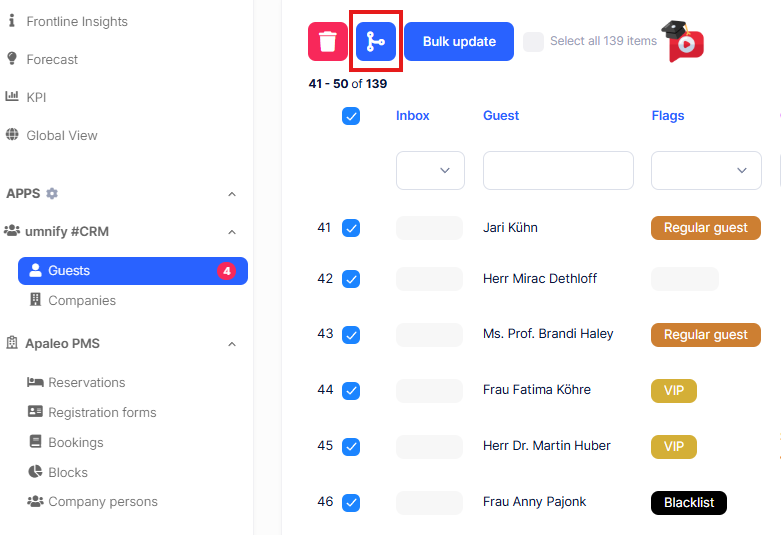
umnify automatically creates a unique profile for every reservation coming in from apaleo. However, things look a bit different when guest profiles are imported from a previous system. In those cases, duplicate entries can slip in. Suddenly, the same guest exists twice in your system, with fragmented history and no complete view.

umnify already ensures a central profile for each guest. And now, you’re in full control as well, thanks to the new Merge Button.
With just a few clicks, you can merge duplicate guest and company profiles. Right inside your apaleo environment. Fast and hassle-free.
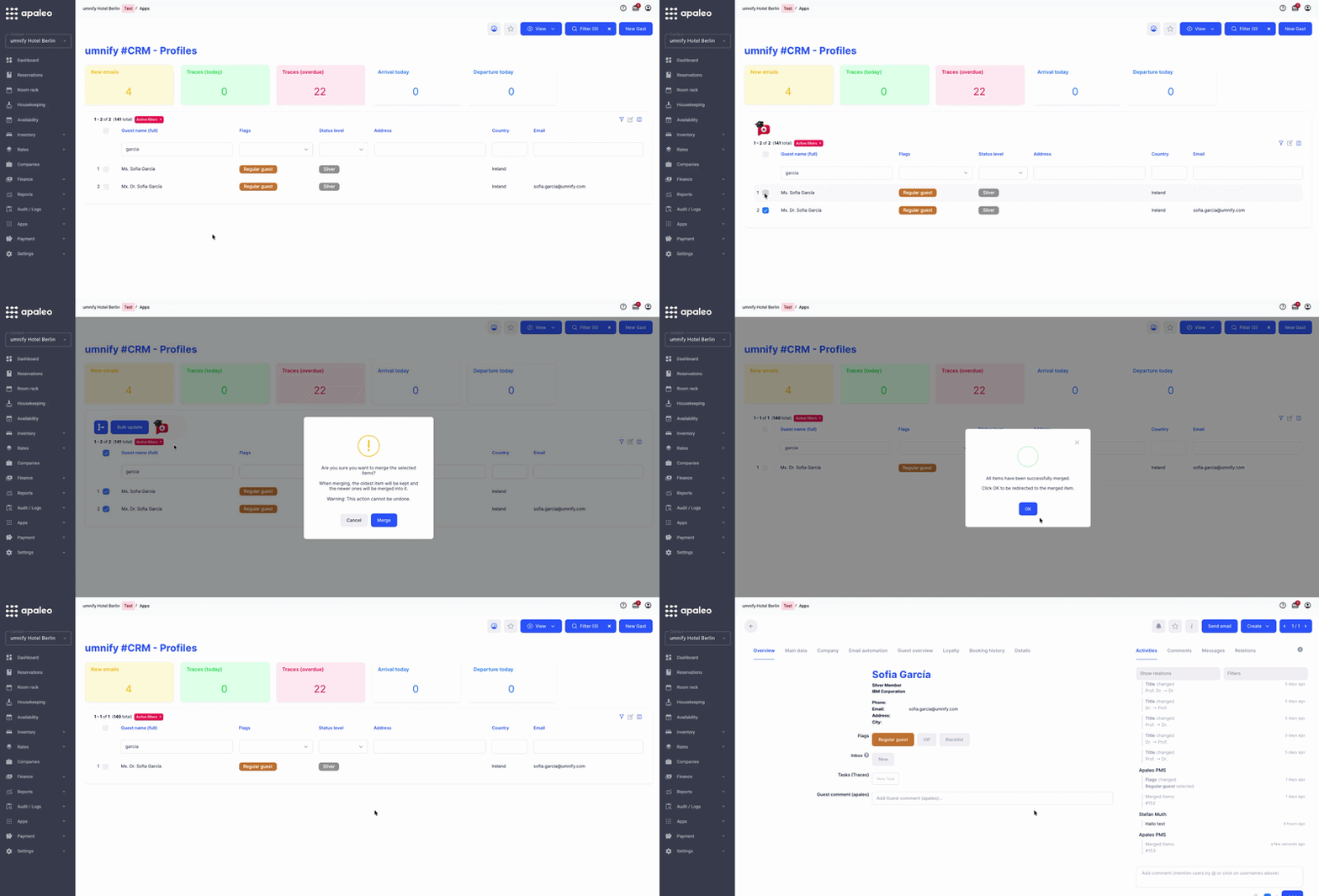
Now you can…
✅ Merge guest and company profiles in just a few clicks
✅ Consolidate all information into one complete profile without losing any data
✅ Build a clean data foundation for more personalized service and better communication
✅ Reduce manual work and give your team more confidence in the data
Clean data helps you upsell more effectively, communicate more clearly, and make better decisions.
👉 The Merge Button will appear automatically as soon as you select at least two profiles. If you don’t see it, ask your admin to enable the feature in the app settings.
Have questions? Just reach out to us at support@umnify.com – the umnify support team will be happy to help.
Not an umnify customer yet? Then it’s high time – click here and book a demo.