

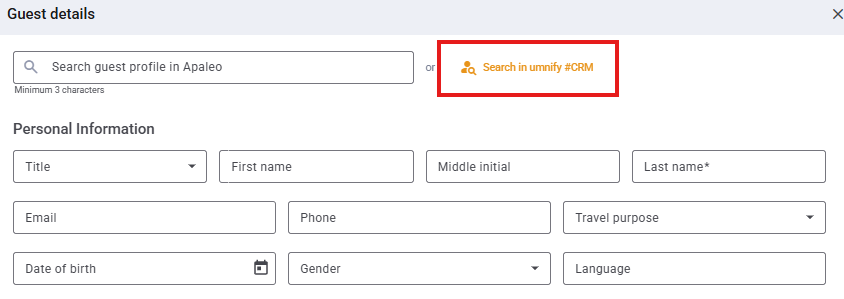
Now even more intuitive: Direct guest search in umnify #CRM for apaleo! 🔍
From now on, you can search, access, and use your guest profiles from umnify #CRM directly in apaleo – guest management for hotels and serviced apartments has never been this easy.
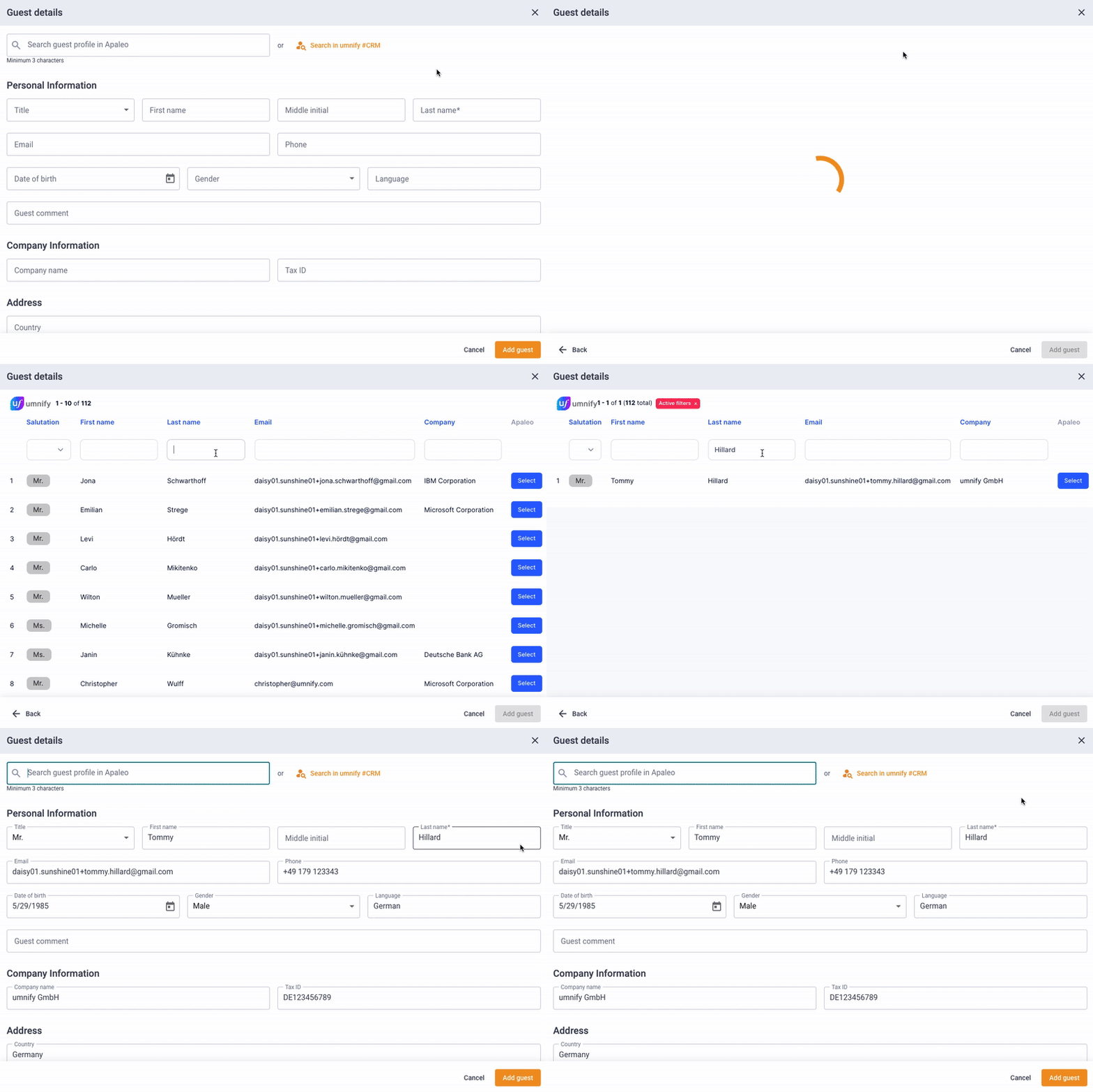
Now you can…
✅ Search and access guest profiles from umnify #CRM directly in apaleo
All information instantly at your fingertips.
✅ Upload guest data only once
Consistent and unified across all systems.
✅ Select existing guest profiles for new bookings
No more duplicate entries.
✅ Effortlessly maintain consistent guest data
Say goodbye to error-prone manual merging.
The best part: Guest search isn’t just exciting for existing apaleo users – it’s also perfect for anyone planning to switch to apaleo.
Why? Because you can easily upload your existing guest data via Excel into your umnify #CRM – and it’s immediately available in apaleo. No complicated data migration, no manual entry, no duplicates.
With Search in umnify #CRM, you connect your guest database directly to apaleo. Your profiles are always up to date, centrally available, and ready to use – whether for daily operations or during a migration to apaleo.
This means for you:
✨ Faster booking workflows
✨ Consistent guest data across all systems
✨ Effortless migration of your existing guest record
Already using umnify? Then email us at support@umnify.com and we’ll activate the “Search in umnify #CRM” feature for you free of charge.
Not a umnify customer yet? Then it’s about time – click here to book a demo.